Extensión Anotador: Añadir marcador y nota para Chrome
Annotator is a free Chrome extension developed by Shawn Cheng. It falls under the category of Browsers and is classified as an Add-ons & Tools subcategory.
Annotator allows users to easily add bookmarks and notes inside web pages. With this extension, users can highlight text and right-click to open the context menu, selecting "Content Bookmark" to add a bookmark. To navigate between bookmarks, users can press Ctrl + Shift + Arrow Left or Right.
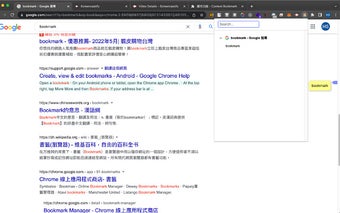
In addition to bookmarks, Annotator also enables users to add memos. By clicking on the bookmark icon next to the scrollbar, users can add a memo. The memo is automatically saved when closed and has a maximum word limit of 100.
To remove a bookmark, users can double-click on the bookmark icon or click the cross button in the popup page. Alternatively, users can highlight the text again and select "Content Bookmark" from the context menu, similar to adding a bookmark.
Annotator also offers the option to change the color of bookmarks. Users can adjust the color settings in the options page, and the changes will take effect after the web pages are reloaded.
However, there are a few known bugs with Annotator. Users may need to refresh the site or restart Chrome before the extension starts working. Additionally, Annotator does not work on Chrome:// URLs or the Chrome Web Store, as these are restricted by Chrome for security reasons.